HR · HR teams · about 3 min
Joiners and leavers
HR → Joiners & leavers brings together everything to follow up as people join and leave.
1. See what's coming up
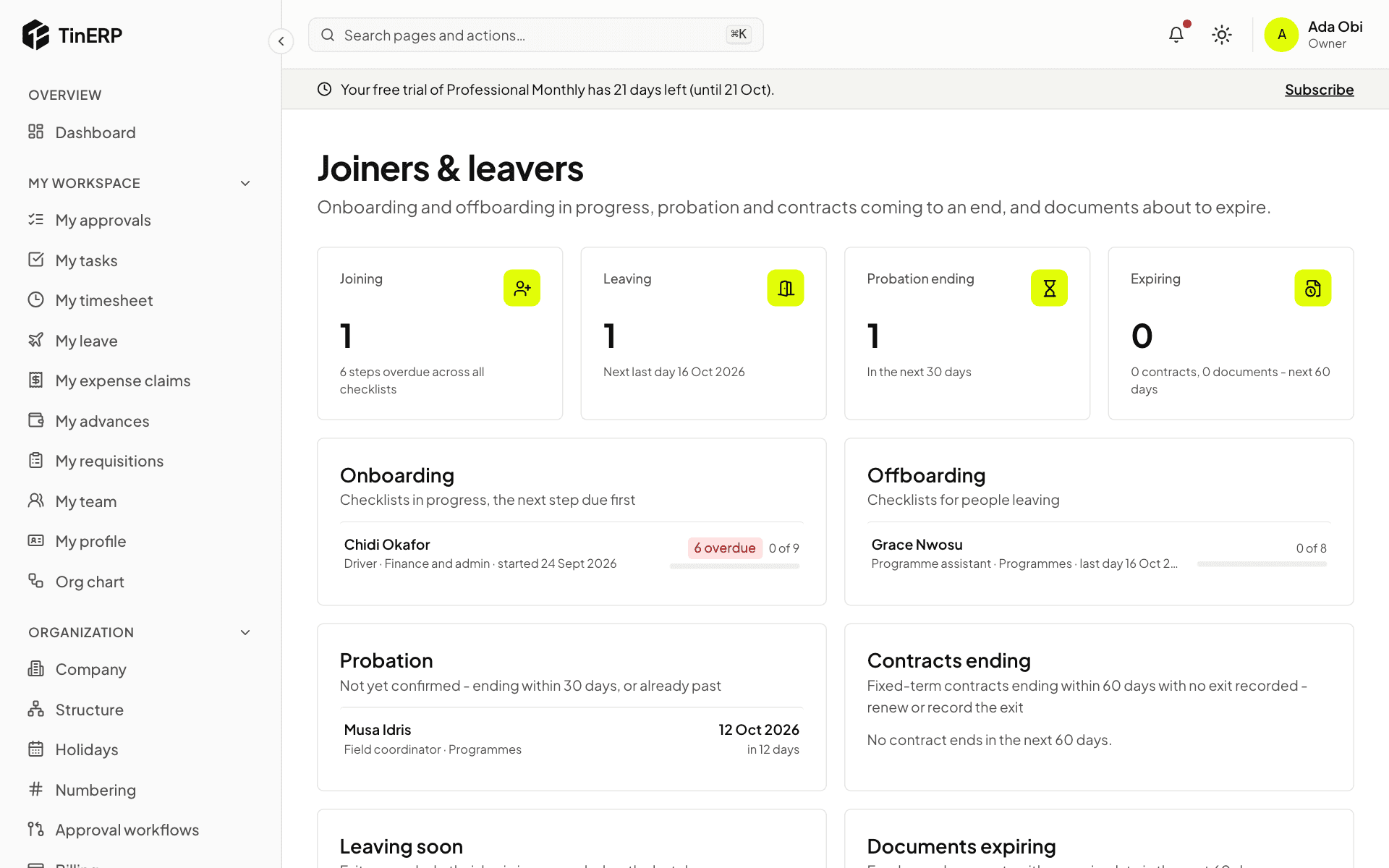
The page shows onboarding and offboarding in progress, with overdue steps; probation ending within 30 days or already past; fixed-term contracts ending within 60 days; people leaving soon; and documents expiring within 60 days.
2. Tick off the steps
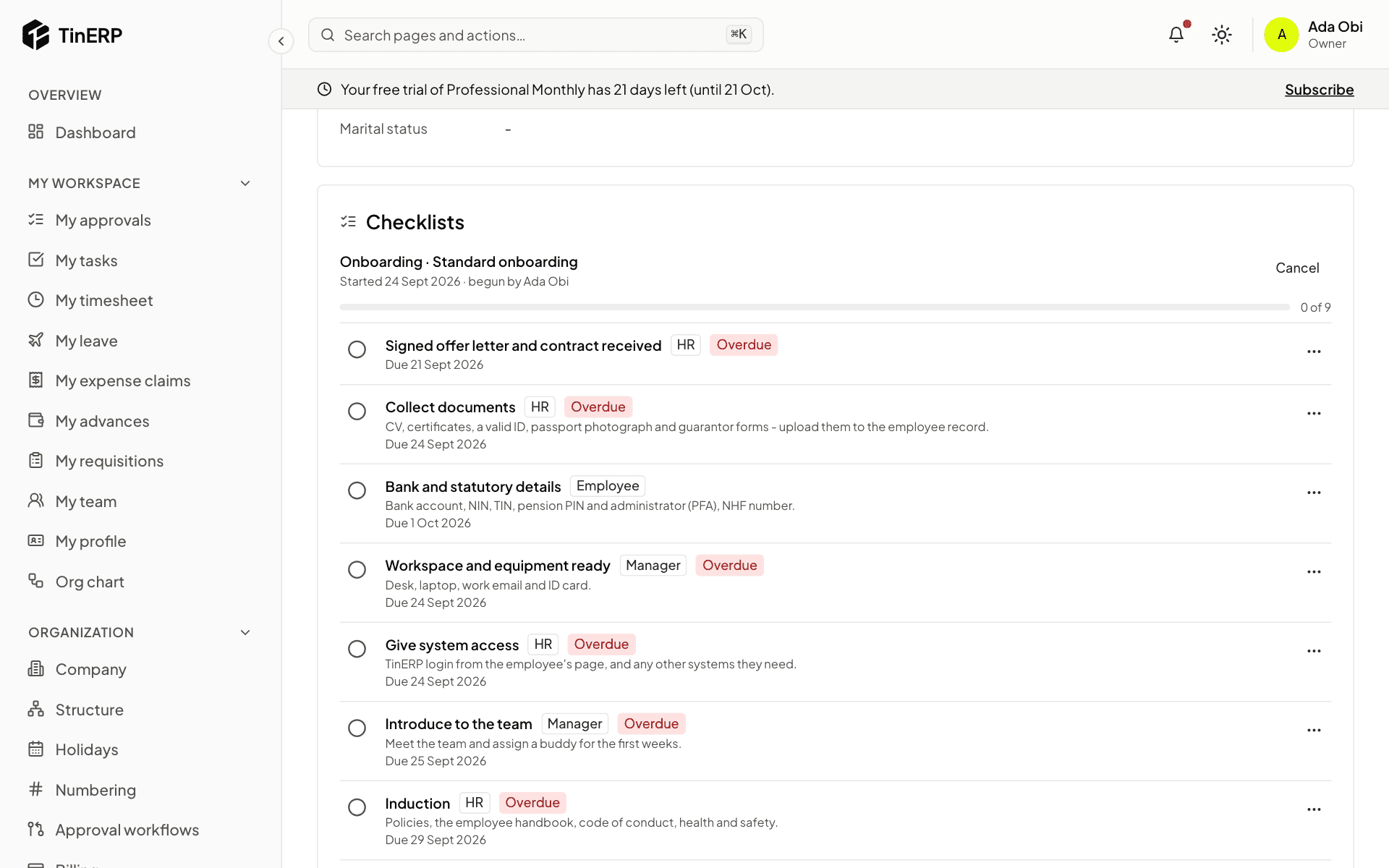
Open an employee to see their checklist: each step, who does it, when it's due, and whether it's overdue. Tick the circle when a step is done. If a step doesn't apply, open its menu (⋯) and choose Skip - doesn't apply, with a reason. The checklist completes when no steps are left.
Managers tick their steps on the employee's page, employees theirs in My profile, and departments theirs in My workspace → My checklist steps. HR can tick any step.
On Joiners & leavers, a checklist with overdue steps says who they're waiting on - for example Waiting on IT, Manager - so you know whom to chase.
Tip: Reminders come by themselves: probation ending in 14 days, fixed-term contracts ending in 30, and documents expiring in 30.